B2B content repurposing workflow: one idea, four pieces, one claim ledger
Quick answer
A B2B content repurposing workflow turns one original idea into one main article, then cuts channel pieces from it. It suits a small team that sells to businesses (B2B), with more ideas than time. Each piece gets its own reader job: what its reader should get from it. A claim ledger says what each piece may claim and holds any unsourced number. Treat people who engage as signals to qualify (check their fit), not buyers.
 By Tim Scheuer, Co-founder of Oxygen · Updated October 28, 2026
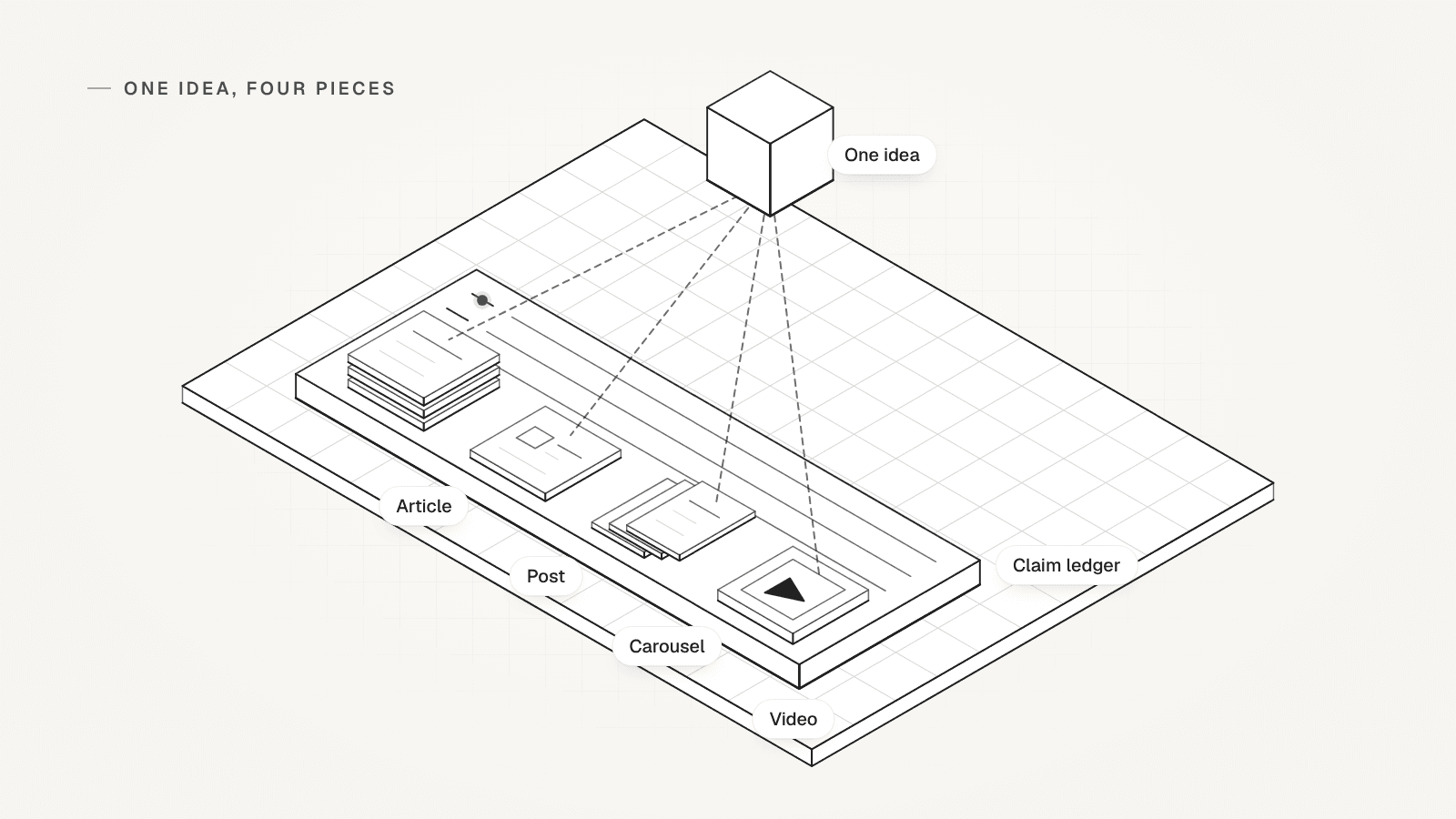
What is a content waterfall, and how does Tim Scheuer run his?
A content waterfall turns one big idea into many channel pieces, all cut from one long original. OXYGEN co-founder Tim Scheuer runs his from Claude Code with a skills repo. That is a folder of instructions, one per task, such as writing the newsletter. In his 5 October 2026 post, he reported 22 posts in 7 days across LinkedIn, YouTube, X and his newsletter. One video becomes one newsletter, three LinkedIn posts and three X posts.
His public LinkedIn Funnel template splits the loop into five stages. Each week ends by picking the next idea from the best questions in the comments:
- Find the idea: scan what is hot on YouTube, X and LinkedIn, add last week's signals and pick one.
- Make the video: title and thumbnail first, then outline, record and upload.
- Grow the roots: the video, its argument and its transcript feed the newsletter, posts and graphics.
- Ship it: every piece on one board, dated from release day, and scheduled once you give the go.
- Convert the engagers: collect who engaged, check who fits and start warm conversations.
Sources: Tim Scheuer on LinkedIn: 22 posts in 7 days (October 2026), LinkedIn Funnel template: the content waterfall guide
Why does repurposed content sound the same on every channel?
Because the same text gets reformatted for each channel, so every piece makes the same point to a different crowd. The detail that made the idea useful drops out, and the claims grow as they travel.
Here is how drift would look in the made-up example below. The call notes say 5 of 12 agency owners had a problem. A careless post would say "most agencies", and a careless video "every agency". Each cut sounds fine alone, and nobody checks it against the source.
Tim's template guards against this in its setup prompt, which says to "draft nothing that needs proof I haven't given you". This page turns that rule into two tools: a reader job for each piece and one claim ledger for all of them.
Sources: LinkedIn Funnel template: the content waterfall guide
What are the steps in a B2B content repurposing workflow?
Seven steps take one source to a qualified signal. The first four happen once per idea, and the last three repeat for each piece.
- Pick one original idea with a dated source you can show: a call note, your own data or your own post.
- Write the buyer's question in their words, and write what your source does not prove.
- Write the canonical article first: the one full version that every other piece is cut from.
- Fill the claim ledger: each claim, its source, its limit and the pieces allowed to use it.
- Cut each piece for one reader job, and drop any piece that would only repeat another.
- Have one review owner check each piece against the ledger before anything is scheduled.
- End each piece with one next action, and treat everyone who engages as a signal to qualify.
What does one idea look like across four channel pieces?
Illustrative example: the company, the calls and every number are made up for this page. A four-person team sells time-tracking software to design agencies. On October sales calls, 5 of 12 agency owners said they find unbilled hours only when they close the month.
The team fills one row before anyone writes. Channel job and conversion action, the two per-piece fields, are in the table below:
- Original source: notes from 12 sales calls in October 2026.
- Buyer question: "How do we stop losing billable hours?"
- Claim limit: 12 calls with our own prospects (people who might buy from us) in one month. A pattern to test, not a market rate.
- Canonical answer: check unbilled time every Friday, before the invoice goes out.
- Review owner: the founder, who ran the calls.
The illustrative chain: four pieces cut from one idea
C1 to C4 are the claim ledger lines further down the page.

| Piece | Channel job | What changes | Claims | Conversion action |
|---|---|---|---|---|
| Canonical article | Answer the buyer's question in full | Everything: why month end is too late, the Friday check in three steps, one worked project | C1 with its limit, C2 | Email sign-up for the template |
| LinkedIn post | Spot the problem fast and reply | One finding and one fix, in five short lines | C1 as "5 of 12", C2 | Comment CHECK for the template |
| Carousel outline | Save the steps for Friday | Seven slides: the problem, three steps, one example | C2 only | Last slide points to the guide |
| Short-video script | See the check done in under a minute | One screen, one project, spoken in 45 seconds | C1 in full, C2 | Caption links to the article |
How does the canonical article become a LinkedIn post?
The post keeps one finding and one fix, and drops the steps. Its reader job is to spot the problem in a few seconds and reply. It states the call finding with its count, never as "most agencies". The made-up post:
- We asked 12 agency owners when they find unbilled hours.
- 5 said: when we close the month.
- By then, the invoice is going out.
- Our fix: a check every Friday, while the work is fresh.
- Comment CHECK and I'll send you the template.
What goes in a carousel outline cut from the article?
Seven slides that teach the steps, so the reader job is to save it for Friday. The outline leaves out the call finding, because a slide has no room for its limit. The made-up outline:
- Slide 1: When do you find unbilled hours?
- Slide 2: At month end, the invoice is already going out.
- Slide 3: Every Friday, list each project's hours against its estimate.
- Slide 4: Flag every project that is over its estimate.
- Slide 5: Bill it, or tell the client before the next invoice.
- Slide 6: One worked project, from Friday check to invoice.
- Slide 7: The full guide and the template are in the comments.
What does a 45-second video script cut from the article say?
It shows one check on one screen, spoken in under a minute. The reader job is to see the check done before reading about it. The script may use the call finding, but only in full, with the 12. The made-up script:
- 0 to 5 seconds: "5 of the 12 agency owners we spoke to in October said they find unbilled hours at month end."
- 5 to 20 seconds: on screen, this week's hours against each project's estimate.
- 20 to 35 seconds: one project is over. "Bill it now, or tell the client before the invoice."
- 35 to 45 seconds: "The template is linked below."
What is a claim ledger, and what may each piece say?
A claim ledger is one list of every claim in the chain, with its source, its limit and the pieces allowed to use it. No piece says more than its line.

Keep it beside the canonical article, and update it before you cut a new piece. A held line blocks every piece that needs it. The made-up chain has four lines:
- C1: On October calls, 5 of 12 agency owners said they find unbilled hours at month end. Source: call notes. Limit: own prospects, one month. Used in: article, post, video.
- C2: A Friday check finds unbilled time before the invoice goes out. Source: the team's own practice. Limit: advice, not a measured result. Used in: all four.
- C3: Agencies lose 10% of their billable hours. Source: none found. Used in: nothing, so it is held.
- C4: Customers bill more after they switch. Source: no measurement and no customer consent. Used in: nothing, so it is held.
What happens when a piece makes a claim its source can't back?
The piece is held, with the fix named, and nothing ships with an invented number. In the example, the video script's first hook, its opening line, was "Agencies lose 10% of their billable hours". That is C3, with no source, so the review owner held the script.

Two fixes could clear it: a dated public study that says it, added to the ledger with its limit, or a new hook. The team chose a new hook, C1 said in full, and the script passed. A fifth piece, an X post, was rejected outright. It copied the post's first three lines, so it had no reader job of its own.
The review owner is one named person per chain. Our handoff guide for go-to-market (GTM) agents shows how a reviewer sends failed work back with the gap named. The same branches work here:
- No source: hold until a dated source is in the ledger, or cut the claim.
- Says more than its line, like "most agencies" for 5 of 12: rewrite it to the ledger's words.
- Old source: check it again before the piece ships.
- Names a customer or their result: hold until that customer agrees in writing.
- Adds nothing: reject the piece, since it repeats another piece's job.
What should each piece ask the reader to do next?
One small next step per piece, toward the article or the template, never a sales pitch. The last stage of Tim's loop works the same way: collect who engaged, check who fits, then start warm conversations.
A like or a comment is not buying intent. It shows who to look at, so check fit before anyone gets a message. The template scores company fit and person fit apart. It says to review the qualified group before any sequence, a series of automated outreach messages, starts. Reaching out to someone who engaged is inbound-led outbound. Our lead generation tools guide ranks warm leads with fit checked first.
Then judge the content by what it did for the business. The template says to "Track qualified conversations, opportunities and signups alongside reach." The four next actions in the example:
- Canonical article: an email sign-up for the template, a lead to qualify.
- LinkedIn post: comment CHECK for the template, a signal to qualify.
- Carousel: the last slide points to the full guide.
- Short video: the caption links to the article.
Sources: LinkedIn Funnel template: the content waterfall guide, LinkedIn Funnel template: overview and the three parts
How do you run this content repurposing workflow in OXYGEN?
Keep the idea, the ledger and the review with your team, and use OXYGEN for drafts, scheduling, post numbers and engager capture. Its repurpose template turns a source text, such as your article, into post drafts for the channels you name. Each run is one paid AI call, capped by the credit limit you set.
Drafts follow your pinned voice, brand and positioning pages in Knowledge. Today they don't search your other Knowledge pages, so a ledger kept there won't reach them. Check each draft against it. Accepting a draft creates a post that still needs approval. A post goes out only once it is approved, and editing approved copy withdraws the approval. In the web editor, Schedule and Post Now approve the copy on screen as they save.
Give each channel piece its own post, so each keeps its own copy. The web composer offers LinkedIn, X, Instagram and YouTube Shorts. For LinkedIn posts, OXYGEN stores reactions, comments and reposts, plus impressions on your own posts when LinkedIn returns them. It has no saves, sends, clicks or video views.
To capture who engaged, the intent setup command in the steps below watches one post's reactions and comments through your connected LinkedIn account. Each person lands in a LinkedIn Engaged People table, and nothing is sent. Engagement does not create a lead in your CRM, the database where your contacts live. A reaction or comment becomes a signal only for a person already in it.
Copy the worksheet, then run the chain in OXYGEN
Copy the blank row for each idea
Fill one row before anyone writes. Leave a field empty rather than guess.
CONTENT WATERFALL ROW original_source: [call note, post or data, with its date] buyer_question: [the question, in the buyer's words] claim_limit: [what the source does not prove] canonical_answer: [the article's answer in one or two lines] channel_job: [per piece: what its reader gets] review_owner: [one named person] conversion_action: [per piece: the one next step]Add one ledger line per claim
Write each claim the way a piece will say it, and mark it cleared, held or cut.
CLAIM LEDGER LINE Claim: [exactly as a piece will say it] Source: [where it comes from, and its date] Limit: [what it does not prove] Used in: [article, post, carousel, video] Status: [cleared, held or cut]Run the review check on every piece
The review owner answers each question before anything is scheduled.
REVIEW CHECK Every claim has a ledger line: yes or no No piece says more than its line: yes or no This piece has its own reader job: yes or no One next action that fits the channel: yes or no Any no: hold it, name the fix, send it back.Draft channel posts from your article in OXYGEN
Swap in your own file, channels and credit cap.
oxygen publishing posts draft --template repurpose --source-file article.md --channels linkedin --max-credits <cap>Capture who engages with the post
The first command looks up the post's social_id. The second sends nothing, and it also captures your profile viewers, followers and new connections.
oxygen posts get --post <post URL>
oxygen linkedin intent setup --account <sender> --post <social_id>
What this workflow does not do
- The chain on this page is made up. We have not measured its reach, sign-ups or pipeline (the sales deals it opens).
- Tim's posting volume describes one week of his own, not a target for your team.
- A ledger checks claims against sources. It cannot make a weak idea worth reading.
- OXYGEN's AI drafts don't check claims against your ledger, so a person still does.
Frequently asked questions
What is a content repurposing workflow?
A content repurposing workflow turns one piece of original work into several channel pieces, each with its own job. Write the long version first, then cut a post, a carousel and a video from it. Check each one against a claim ledger before it ships.
How many pieces should one idea become?
As many as have a reader job of their own. Tim Scheuer cuts one newsletter, three LinkedIn posts and three X posts from one video. A small team can start with the four on this page: an article, a post, a carousel and a short video. Reject any piece that only repeats another.
Can AI write the repurposed pieces?
AI can draft them, but it can't supply the idea or the proof. In Tim's template, you pick the idea, record, read and edit, while Claude Code skills do most of the drafting. Give a draft only the ledger lines it may use, then check every number against the ledger before it ships.
Is a comment on a post a buying signal?
No. A comment or a like shows interest in a post, not a plan to buy. Treat each person who engaged as a signal to qualify. Check company fit and person fit first, then decide if a useful message makes sense. People who don't fit get your next post, not a pitch.
Is a content waterfall only for founder-led content?
No. A founder who runs sales calls has a steady source of ideas, but anyone on the team can own a chain. Each chain needs one original source, one review owner who checks the ledger and one next action per piece.
Can I run a content waterfall from Claude Code?
Yes. Tim Scheuer runs his from Claude Code with a skills repo, and his public LinkedIn Funnel template includes a setup guide for Claude Code. To connect OXYGEN to Claude Code, see GTM with Claude Code.
Related
Sources
- Tim Scheuer on LinkedIn: 22 posts in 7 days (October 2026), checked October 28, 2026
- LinkedIn Funnel template: the content waterfall guide, checked October 28, 2026
- LinkedIn Funnel template: overview and the three parts, checked October 28, 2026
Updated October 28, 2026. OXYGEN's own prices and limits come from the product and its live price list. The other products named here are trademarks of their owners and are not affiliated with OXYGEN. Something out of date? Tell us.